Browse help topics
Archive a participant
Archive a participant who is no longer active. There is no restore.
Last updated · 3 July 2026
When a participant is no longer active, you can archive them to remove them from your active list while keeping the record on file. Archiving is available when your role can delete participants.
Open the participant and start archiving
Open the participant, stay on the Details tab, and select Archive participant at the bottom of the drawer.
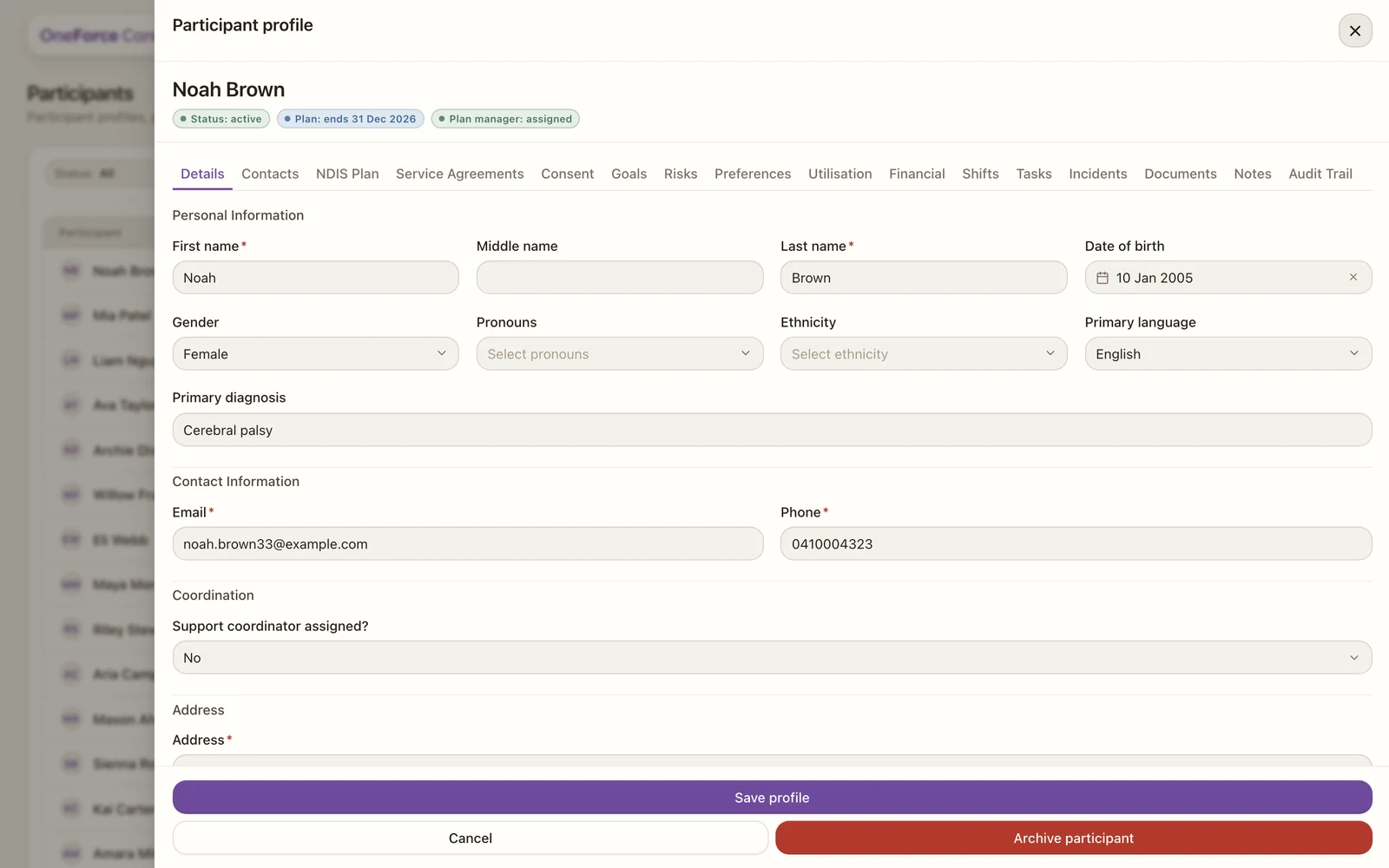 1
1 Confirm
To prevent accidents, the dialog asks you to type Archive to confirm. Type it, then select Archive participant. You will see Participant archived. and the drawer closes. If the text does not match, you will see Enter Archive to confirm.
Watch out
There is no restore. The Participants register has no Archived filter and no unarchive button, so an archived participant cannot be returned to the active list from here. The record stays in the system for history, but only archive a participant you are sure you no longer need active.