Browse help topics
Invoicing settings
GST code, GST registration, payment terms, bank details and remittance email used for invoicing.
Last updated · 3 July 2026
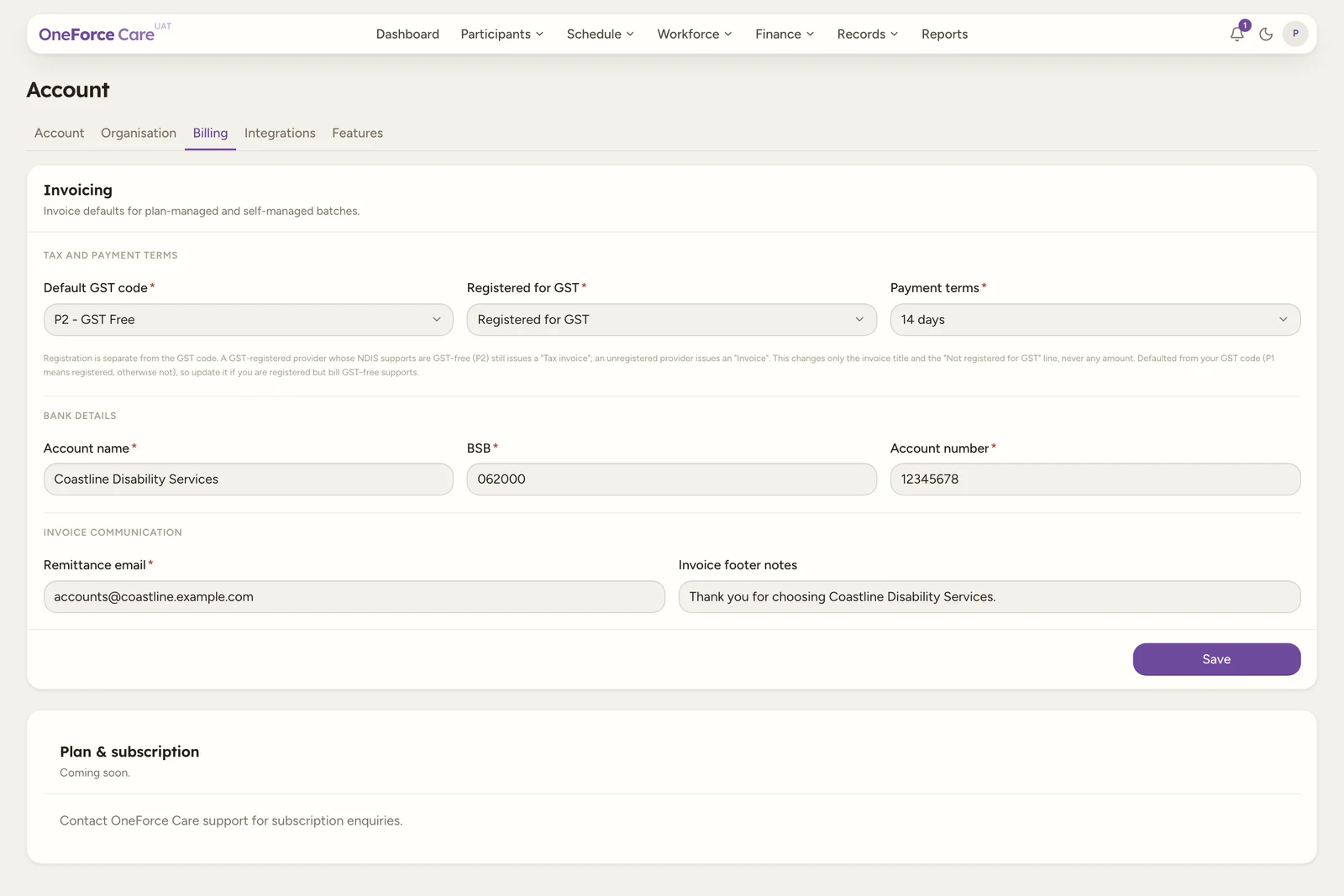
The Account ›Billing tab sets the invoicing defaults used when you generate invoices for plan-managed and self-managed batches. Set them before your first invoice batch.
Note
 1 2 3
1 2 3 Tax and payment terms
| Field | Required | Options |
|---|---|---|
| Default GST code | Yes | P2 - GST Free, P1 - 10% GST, P5 - GST out of scope |
| Registered for GST | Yes | Registered for GST, Not registered for GST |
| Payment terms | Yes | Due on receipt, 7 days, 14 days, 30 days, Custom |
| Due days | Only when terms is Custom | A number, zero or greater. The fixed terms fill this in for you. |
Registered for GST is a separate fact from the GST code, and it controls whether your PDF invoices are headed TAX INVOICE or INVOICE: a GST-registered provider whose NDIS supports are GST-free (P2) still gets a Tax Invoice, while an unregistered provider gets an Invoice with a “Not registered for GST” line added underneath the heading. It changes only that title and line, never any amount. It’s defaulted from your GST code (P1 means registered, otherwise not), so update it yourself if you’re registered for GST but bill GST-free supports.
Bank details
| Field | Required | Notes |
|---|---|---|
| Account name | Yes | |
| BSB | Yes | Exactly 6 digits. |
| Account number | Yes | 4 to 12 digits. |
Invoice communication
| Field | Required | Notes |
|---|---|---|
| Remittance email | Yes | A valid email; where payment advice is sent. |
| Invoice footer notes | No | Free text printed at the foot of the invoice. |
Select Save. You see Invoicing settings saved. If something’s missing or invalid, you see the first problem as a message, in field order, for example BSB must contain exactly 6 digits. Until these are complete, generating a batch tells you what is still missing.
Plan & subscription
Underneath Invoicing, the Plan & subscription card is a placeholder: it reads “Coming soon.” with “Contact OneForce Care support for subscription enquiries.” There’s nothing to set here yet.