Browse help topics
Budget utilisation
Spend against allocation per budget pool, support-level usage, and finance blockers.
Last updated · 3 July 2026
The Utilisation tab is a read-only view of how the plan budget is tracking, so you can see remaining funds and keep delivery in line with what is funded. Open the participant, then select the Utilisation tab.
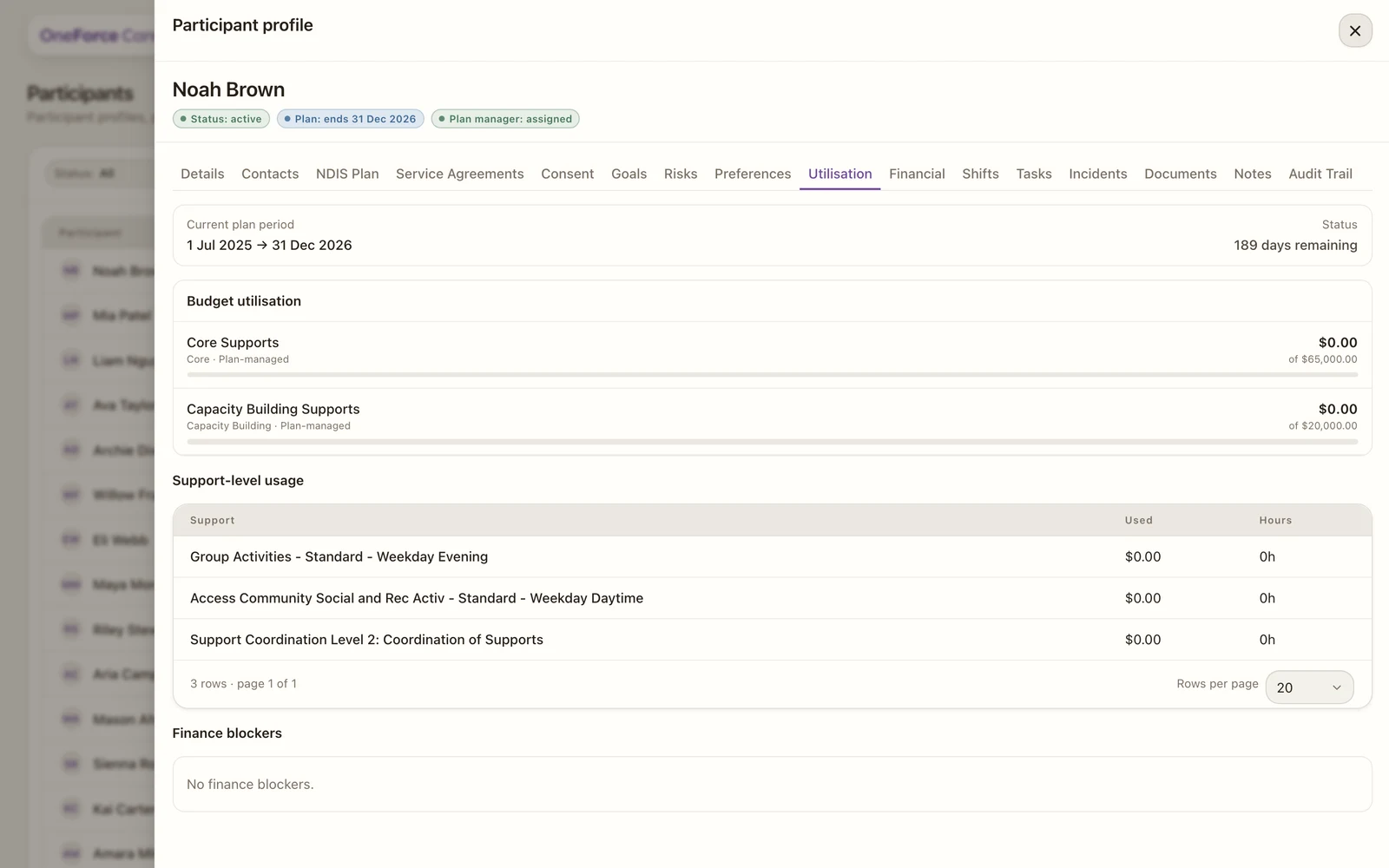
Once the participant has a plan and delivery, the tab shows:
- Current plan period and days remaining: the plan dates and how long is left to spend.
- Budget utilisation: for each budget pool, the amount used against its allocation, with a progress bar. Watch for pools nearing their limit, or sitting unused with little time left.
- Support-level usage: a breakdown by support item, with dollars used and hours delivered.
- Finance blockers: anything stopping spend from being counted, for example a Stated budget with no support codes on the agreement. Clear these so the figures stay accurate.
Use it to avoid over-delivering against a pool, or leaving funds unspent before the plan ends.