Browse help topics
Worker compliance
Record each credential's expiry and evidence, and read the compliance status.
Last updated · 28 June 2026
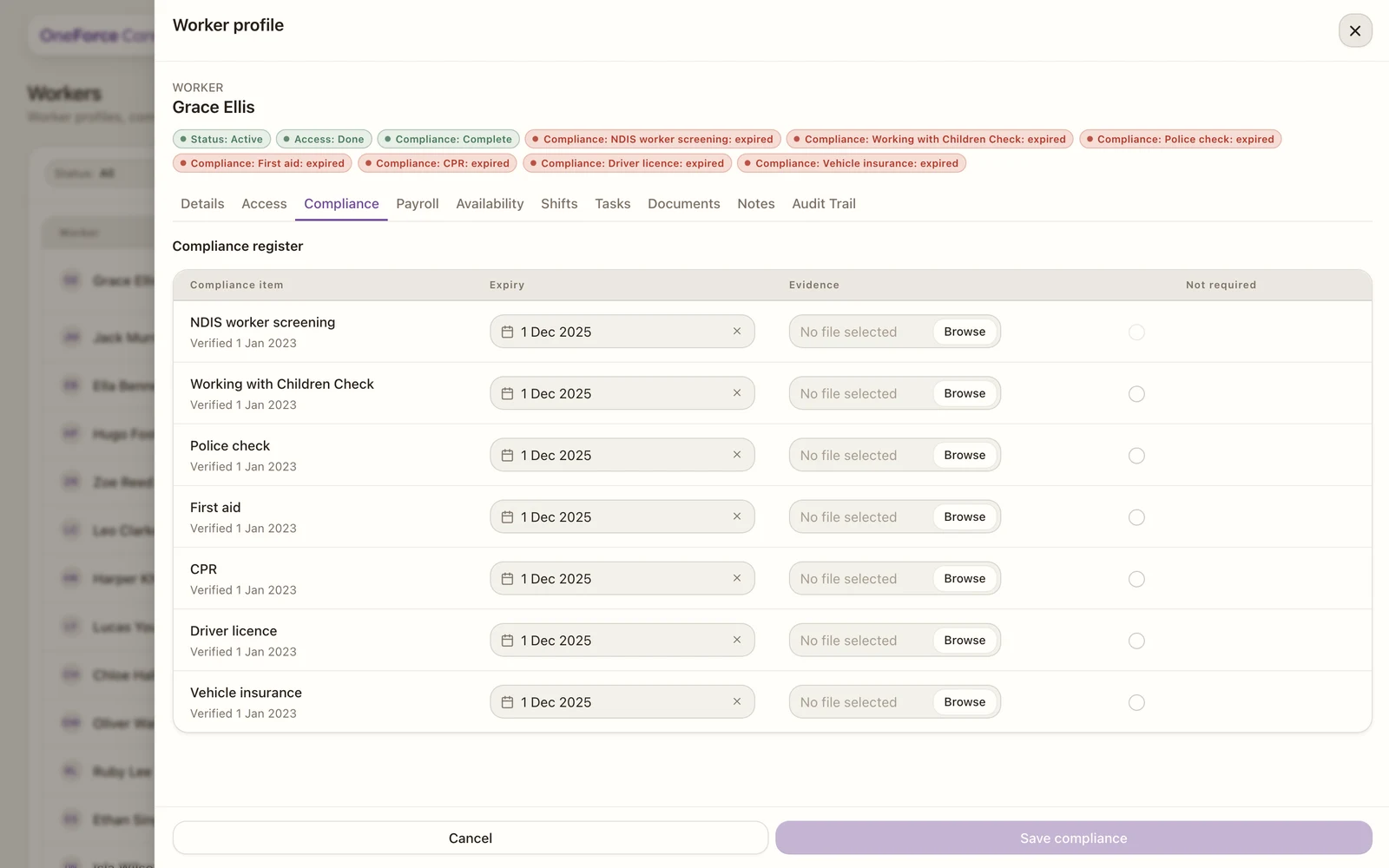
The Compliance tab is the credential register for a support worker. Keeping it current is what keeps the worker safe to roster. It appears for support workers only.
 1 2 3
1 2 3 The credentials
Each support worker has a row for NDIS worker screening, Working with Children Check, Police check, First aid, CPR, Driver licence and Vehicle insurance (plus any extra type already on the worker).
For each one you can set:
- Expiry: the date it runs out.
- Evidence: a file of the certificate (PDF, image, Word or text).
- Not required: tick if the item does not apply to this worker.
Watch out
NDIS worker screening cannot be marked “Not required” for a support worker. Every support worker must have a valid screening recorded.
What the statuses mean
Each credential is worked out from its expiry:
- Current: 30 days or more left.
- Expiring: valid, but inside 30 days, so it is time to renew.
- Missing: no expiry recorded, or the date has already passed.
The worker’s overall compliance reads as Complete, Partial or Not Set. Separately, any item that is missing, expired or expiring raises its own pill on the profile and feeds the Compliance filter on the register, so you can see who needs attention before rostering. A Blocked status is set by hand, not from the dates.
Select Save compliance to record your changes.