Browse help topics
Archive a worker
Archiving hides a worker from the register. There is no restore or hard delete.
Last updated · 28 June 2026
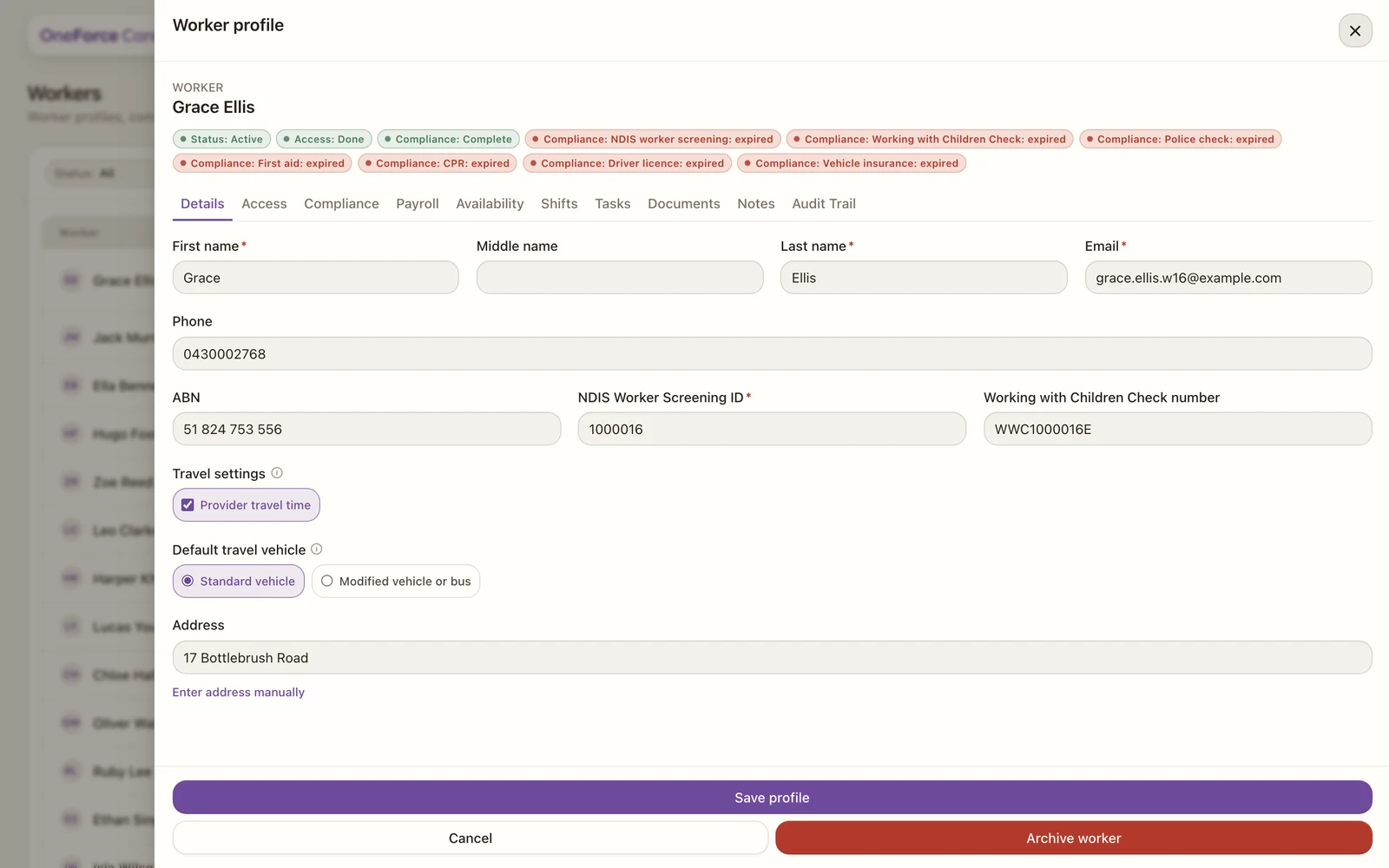
Archiving a worker removes them from the active register when they no longer work with you. You archive from the worker’s Details tab. It is available to roles with worker delete access.
 1
1 Open the worker
Open the worker from the register and stay on the Details tab.
Select Archive worker
Select Archive worker at the bottom of the tab. A confirm dialog opens, warning that archived records are hidden from active lists but stay on file.
Confirm
Type Archive in the box to confirm, then select Archive worker. The button stays disabled until the word matches exactly.
The worker drops out of the register and can no longer be rostered. Their record stays on file, and the archive is logged on the Audit Trail.
Watch out
There is no restore or unarchive in the Workers module, and no way to permanently delete a worker here. Archiving is the only way to remove a worker, and it hides rather than deletes them, so archive only when you are sure.