Browse help topics
Worker documents
Upload and manage files on the worker record.
Last updated · 28 June 2026
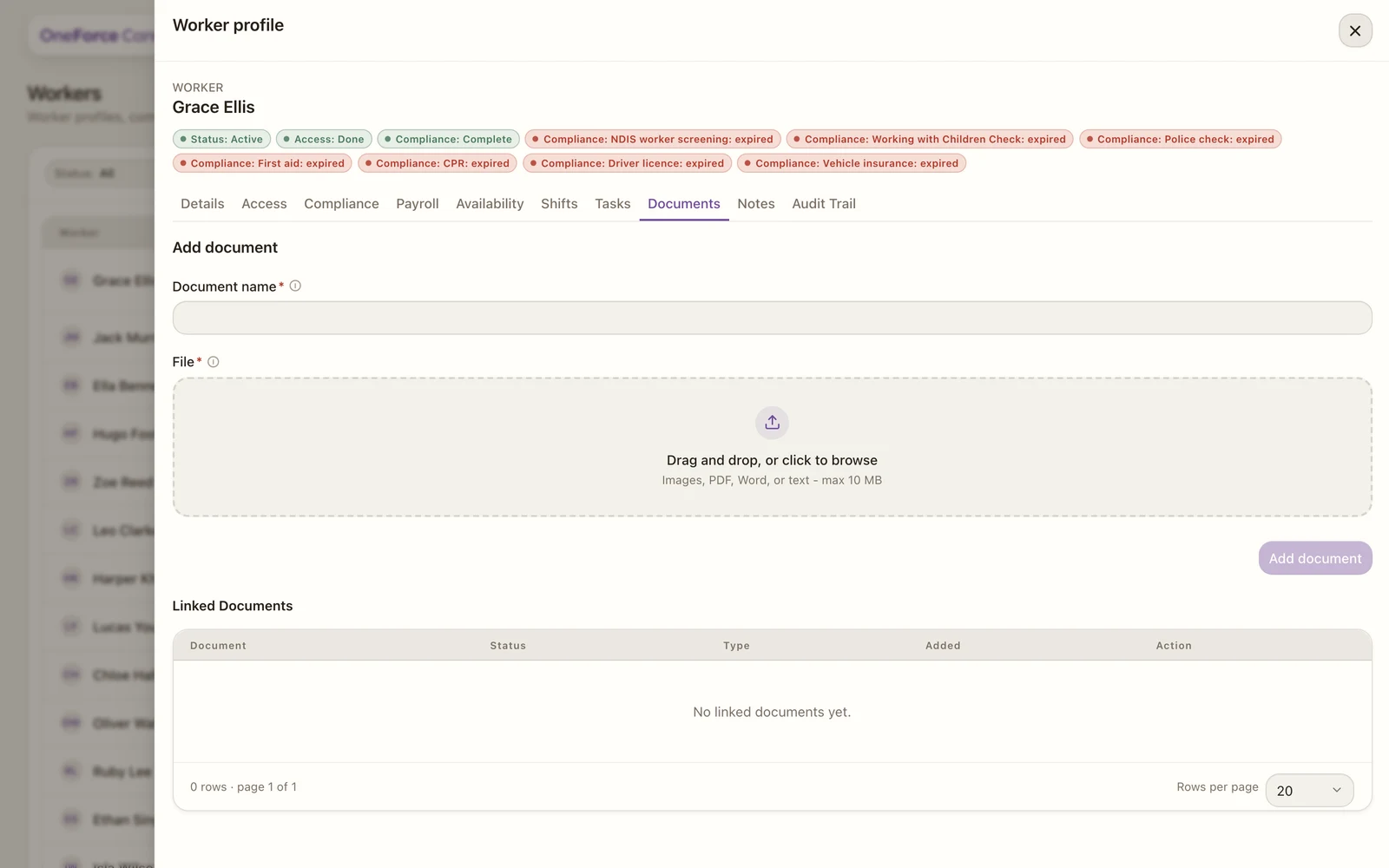
The Documents tab holds files attached to the worker, separate from the compliance evidence on the Compliance tab. It is available for every worker.
 1 2 3
1 2 3 1 Document name is required.
2 Drop a file or click to browse: images, PDF, Word or text, up to 10 MB.
3 Add document. It enables once a name and file are set.
To add a document, give it a Document name, choose a File (images, PDF, Word or text, up to 10 MB), then select Add document. There is no category to pick; worker documents are filed together. Uploaded files appear in Linked documents with their status, type and date, where you can download or delete each one.