Browse help topics
Workers overview
The Workers register, its filters, columns and row actions.
Last updated · 2 August 2026
A worker record holds everything about a person who delivers support or helps run your service: their details and login, compliance and credentials, payroll classification, availability, and the shifts and tasks they are linked to. You will find everyone under Workforce›Workers.
The register
Each row is one worker. Open a worker by selecting their row; the profile opens in a side drawer over the list.
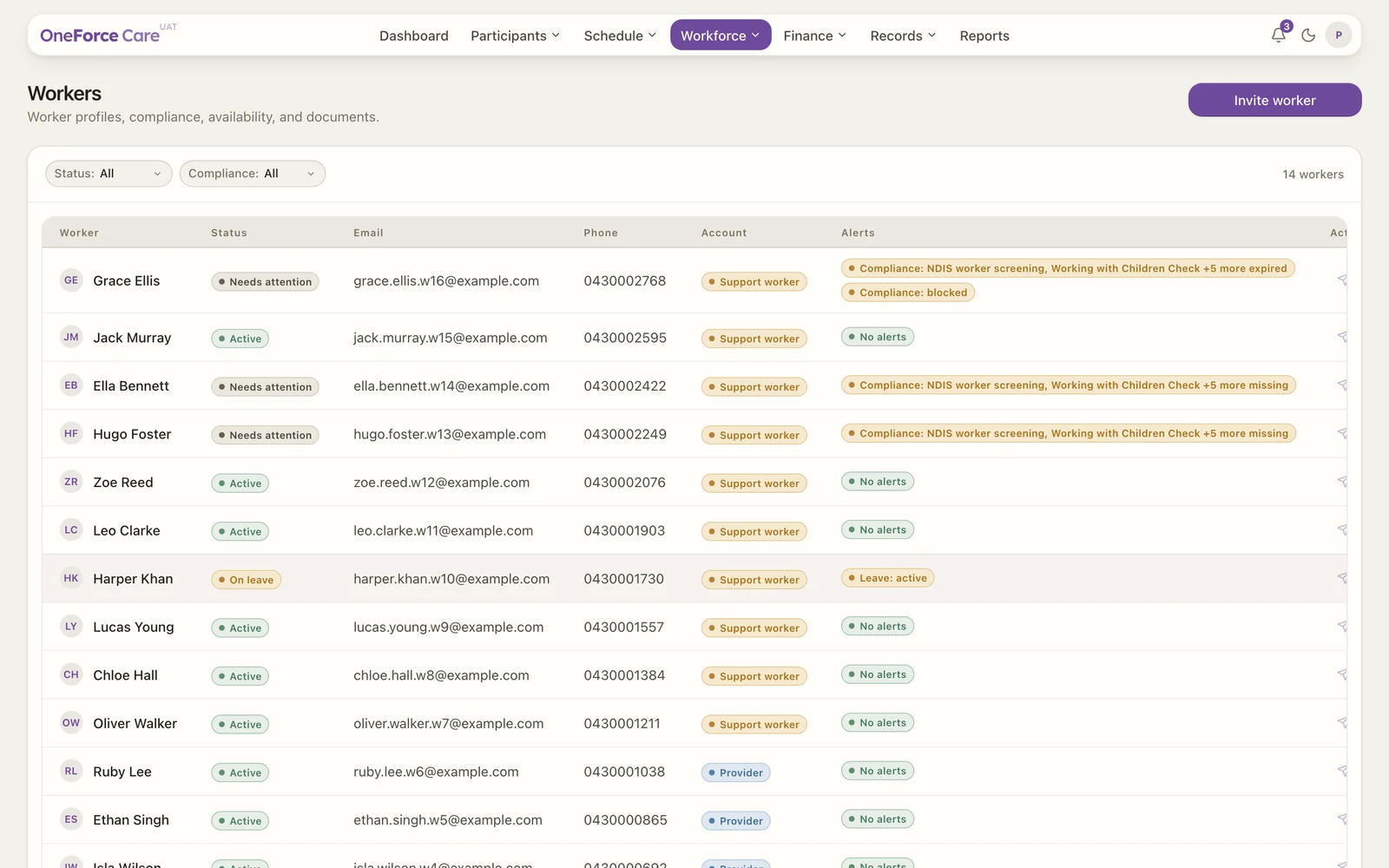
Columns
| Column | What it shows |
|---|---|
| Worker | The worker’s full name. |
| Status | Active, Needs attention, On leave or Inactive, worked out from the record. |
| Their email, or “Not set”. | |
| Phone | Their phone, or “Not set”. |
| Account | How they sign in: Owner, Admin, Provider, Support worker or No login. |
| Alerts | A badge for each thing missing or due, or a green “No alerts”. |
The status is worked out for you:
- Inactive: the record has been set inactive.
- Needs attention: something actionable is missing, such as a phone, email, NDIS screening, availability, a payroll classification that is not set (a “Payroll: not set” alert), or a compliance issue.
- On leave: the worker has an active leave window.
- Active: no gaps.
Filters and search
Two dropdowns and a search box sit above the table, and they narrow the rows already loaded:
- Status: All, Active, Needs attention, Inactive.
- Compliance: All, Current, Expiring, Blocked, Missing.
- Search: matches any text on the row, so a name, email, phone number, classification or state all find the worker.
Row actions
At the end of each row are two quick actions:
- Send invite (paper-plane): resends the login invite to a worker whose invite is still pending. Enabled only once they have a login and a saved email.
- Require password reset (key): sends a password reset email and suspends the worker’s access until they set a new password.
Adding a brand-new worker is a separate flow, from the Invite worker button at the top right (see Invite a worker), or from Import next to it to add many workers at once from a spreadsheet (see Bulk import workers).