Browse help topics
Manage and close incidents
Update an incident, manage its evidence, change its status, archive it, and what each permission unlocks.
Last updated · 23 September 2026
Open any incident from the register to update it. The same drawer you used to report it reopens, prefilled, so you can edit any field, manage its evidence, change its status, or archive it. The save button now reads Update incident. See Report an incident for what each field means.
Open the incident
Go to Participants›Incidents and select the incident, either a row in the table or a card on the board. It opens in the drawer with every field filled in.
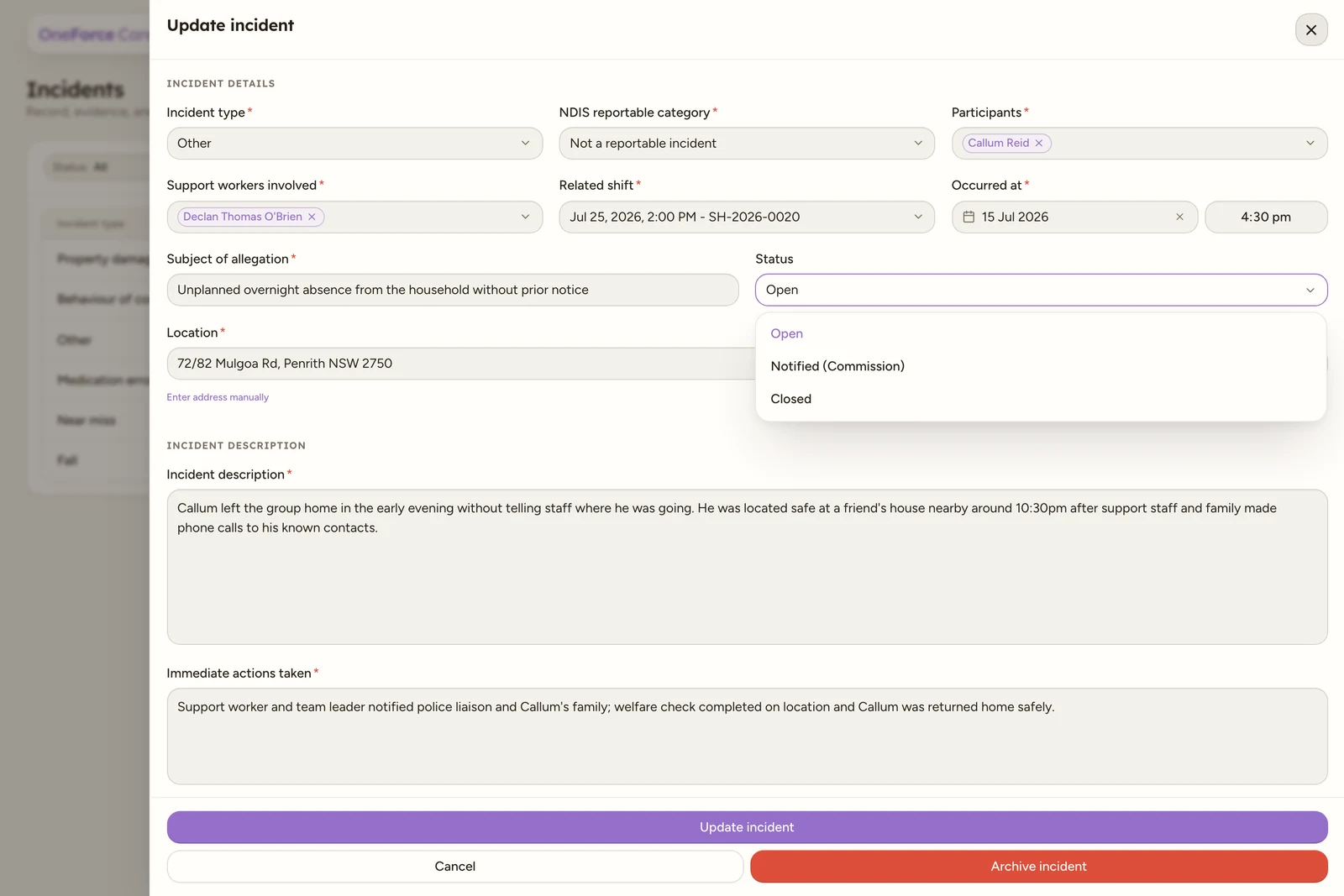
Edit and save
Change any field, then select Update incident at the bottom to save. You see the toast “Incident report saved.” The drawer stays open afterwards (with a fresh evidence picker), so you can keep reviewing it or attaching more evidence; close it with the X or by selecting outside it.
Change the status
An incident moves through Open, Notified and Closed. There are two ways to change it:
- In the incident, use the Status select. Its options are Open, Notified (Commission) and Closed. Choose one, then select Update incident.
- On the board, drag the card to the Open, Notified or Closed column. This saves immediately, no need to open the card.

Closing an incident is a status, Closed, not a deletion. The record stays in the register. Moving a reportable incident off Open also clears its Overdue badge, even past the deadline. See Reportable incidents.
Manage evidence
On a saved incident the drawer shows a Documents list and a Photos gallery beneath the form. Add more files (up to five, each up to 10 MB) or remove ones you no longer need, then select Update incident.
Archive an incident
To take a report out of the active register, open it and select Archive incident at the bottom, then confirm with Archive in the Archive incident dialog. You see the toast “Incident report archived.”
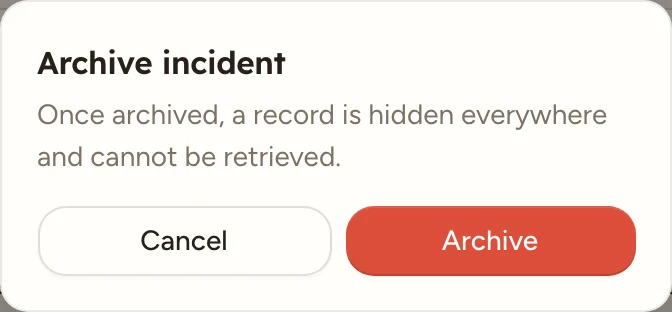
Watch out
The dialog warns “Once archived, a record is hidden everywhere and cannot be retrieved.” That is exactly what happens: the incident disappears from the register, the board and every filter, and there is no way to restore it or to permanently delete it from the app, archiving is the only way to retire a record.
Permissions
What you can do on Incidents depends on your role’s Incidents permissions:
- No create permission: Create incident does not appear at the top of the register.
- No edit permission: rows in the table and cards on the board are not clickable at all, and cards cannot be dragged between columns. You can still read the summary columns in the table, the card details on the board, and a participant’s own incidents on their profile’s Incidents tab, but you cannot open a full record.
- No delete permission: there is no Archive incident button inside the drawer.
Owners and admins always have full access. See Roles and permissions.