Browse help topics
Tasks overview
Board and table views, the four lanes, and where tasks show up.
Last updated · 2 August 2026
Tasks is where coordinator follow-ups, overdue notes and handovers live. Open it from Schedule›Tasks. The page header reads Tasks, with the subtitle “Coordinator follow-ups, overdue notes, and handovers.”
Board and table views
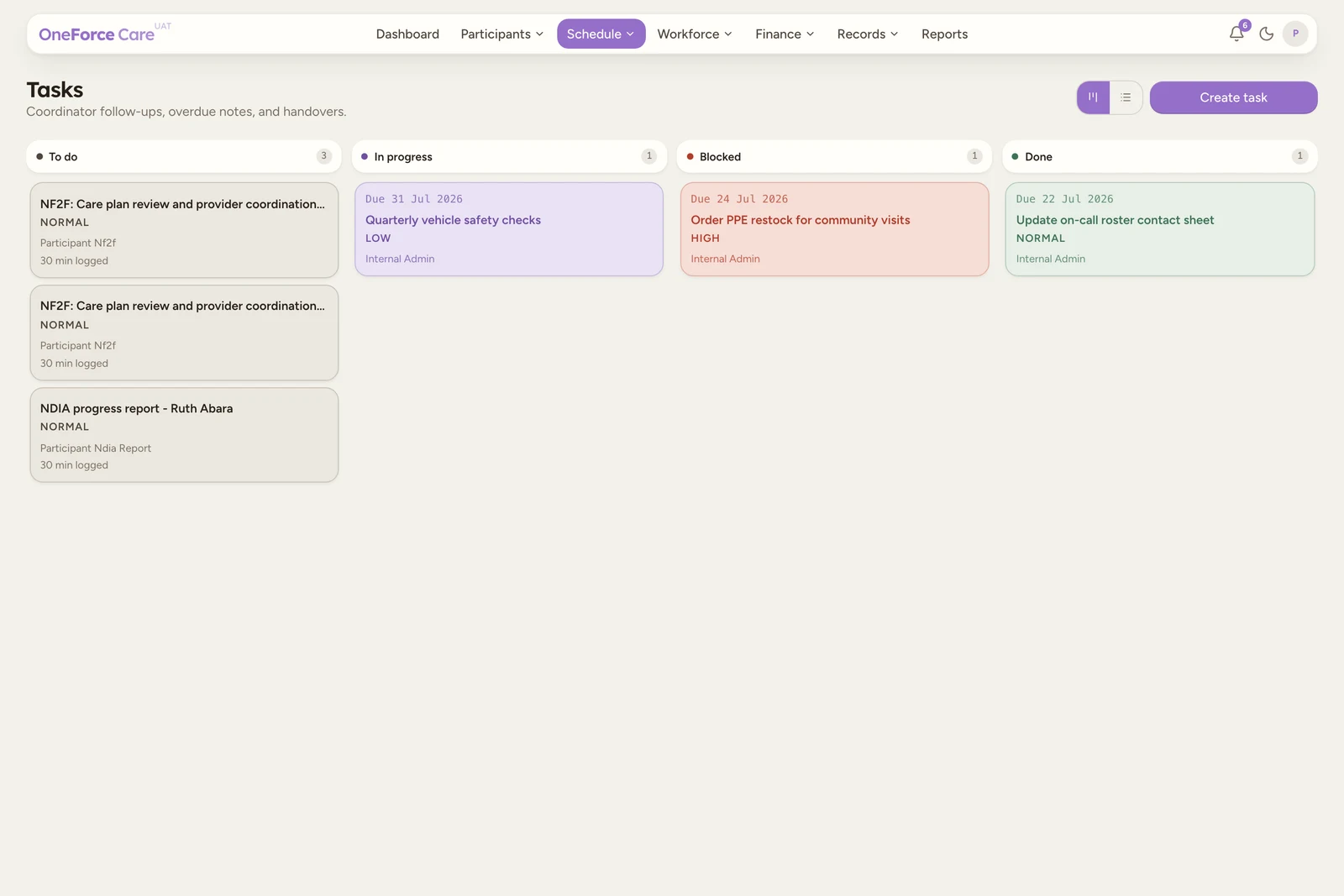
The same tasks can be shown two ways, and a small icon toggle at the top right switches between them. The page opens in the table view.
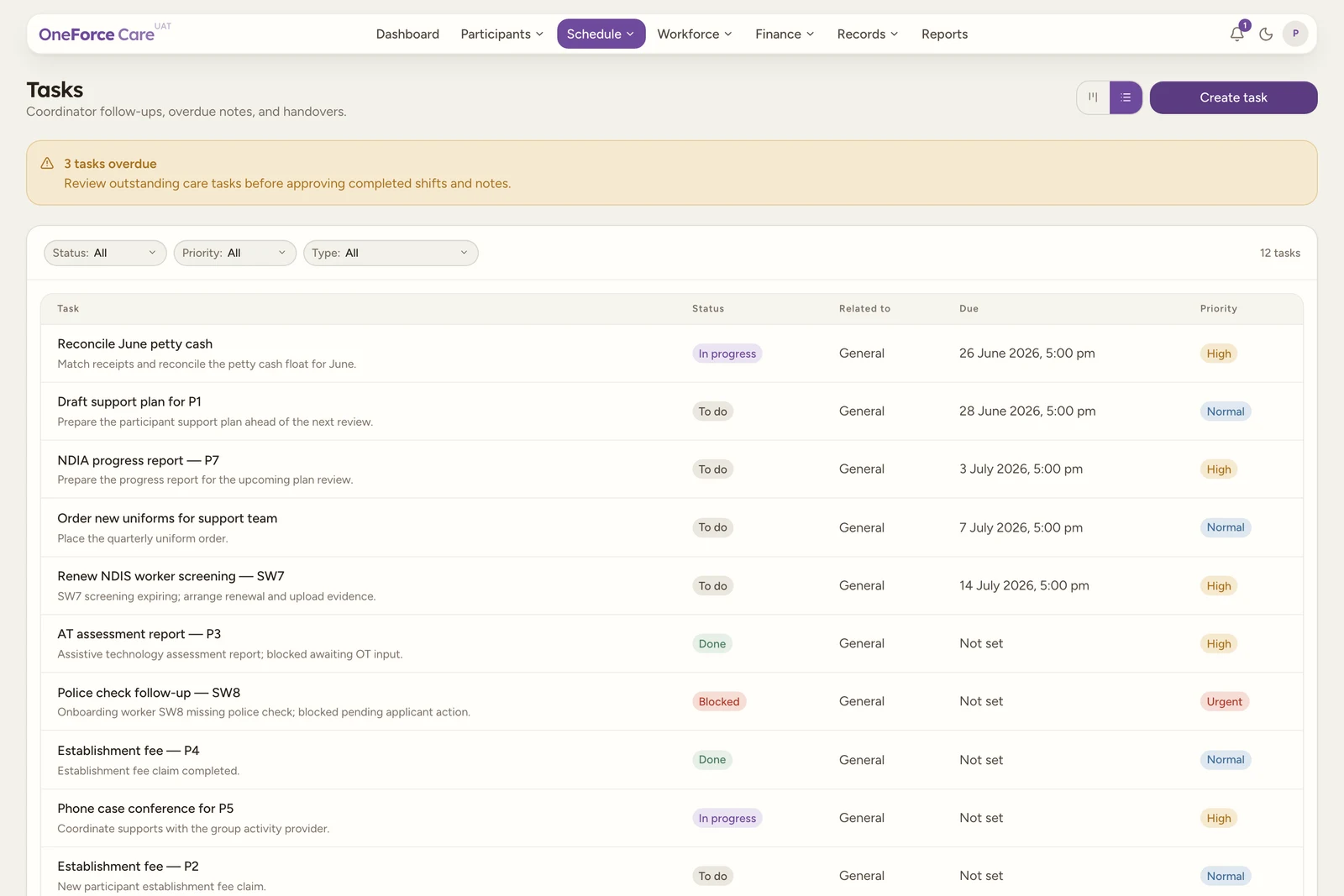
- Table view lists every task in rows, with the columns Task (its title, with the description underneath, or “No description”), Status, Due and Priority. A count of how many tasks match is shown at the top right.
- Board view is a Kanban board with one card per task, arranged into lanes by status. Drag a card to another lane to change its status.
 1
1Select any task, a row in the table or a card on the board, to open it and make changes.
The four lanes
A task always sits in one of four lanes, shown in this order:
| Lane | What it means |
|---|---|
| To do | Not started yet. Every new task lands here. |
| In progress | Being worked on. |
| Blocked | Waiting on something or someone. |
| Done | Finished. The board shows the 20 most recent; the rest stay in the table view. |
Note
Archived tasks are not a lane. Archiving is a soft delete, it hides the task from the board, the table and the filters while keeping it on file.
Filters
The table view has three filter dropdowns above the list, plus a search box:
- Status: All, To do, In progress, Blocked or Done.
- Priority: All, Low, Normal, High or Urgent.
- Type: All, Internal admin, Compliance, NF2F, NDIA report or Establishment fee.
- Search: matches on the task title.
Filtering happens across the tasks already loaded. The board view has no filters.
Where tasks also appear
The same tasks show up, read only, on the participant profile’s Tasks tab: a panel titled Tasks with Task, Status, Due and Priority, listing the tasks linked to that participant. The empty state reads “No linked tasks yet.”
It is a mirror for reference. All task authoring happens on the Tasks page.
Note
There is no longer a Tasks tab on the worker profile. Tasks are linked to participants, not to workers, so the worker mirror was removed. Use the Tasks page and its filters instead.
Tip