Browse help topics
Recurring shifts and copying
Use Repeat to make a series, or Copy shift to duplicate one.
Last updated · 23 September 2026
There are two ways to avoid rebuilding a shift by hand: make it repeat when you create it, or copy an existing one to a new time.
Make a shift repeat
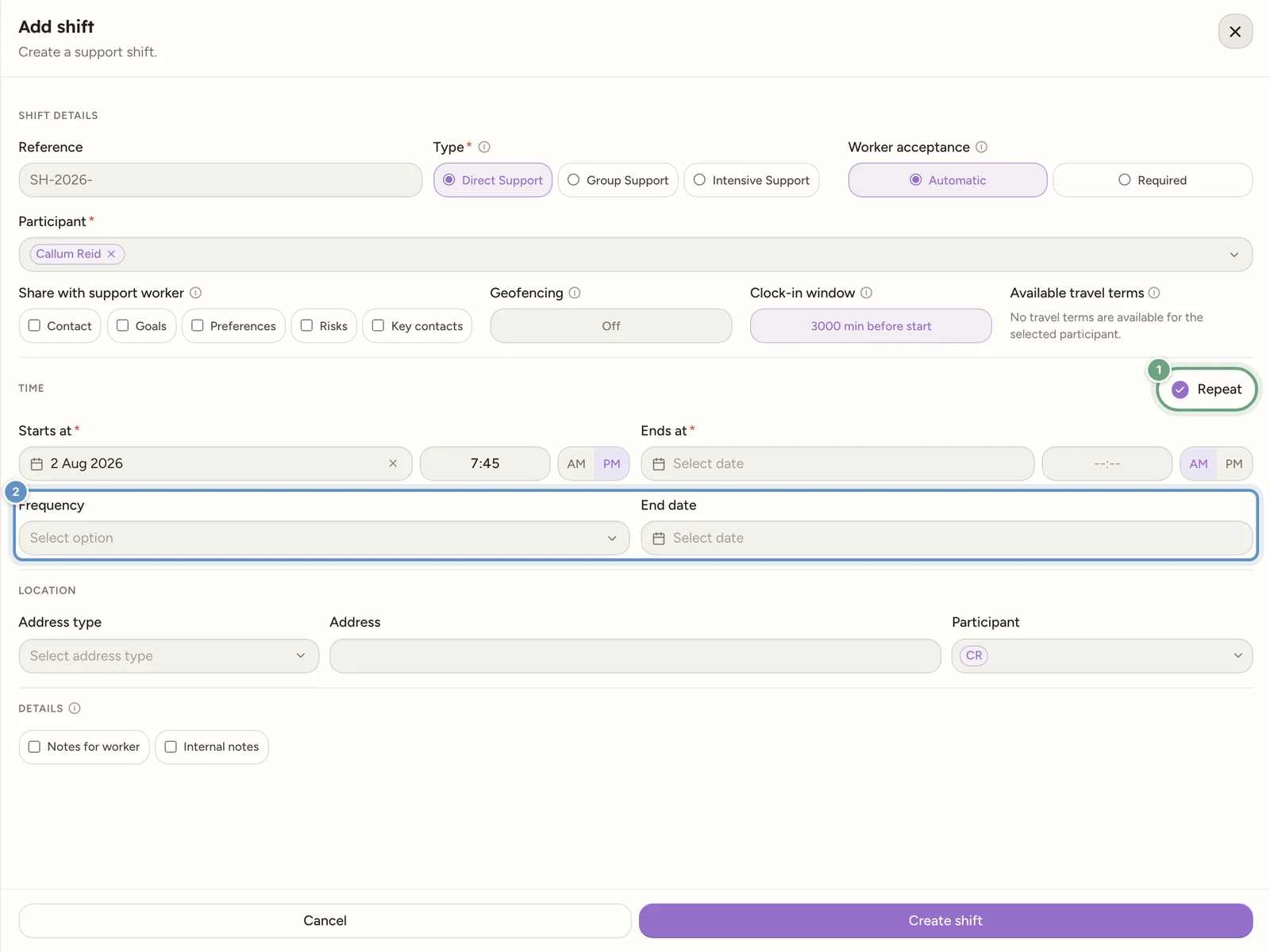
Recurrence is set on the create form only. While creating a shift, tick Repeat in the Time section header. Two more fields appear:
- Frequency: Daily (every day), Daily (weekdays), Daily (weekends), Weekly, Fortnightly or Monthly.
- End date: the last date in the series.
The platform creates a separate shift for each occurrence. Both fields are required once Repeat is ticked. The series can cover up to 90 calendar days, counting the first shift date. The end date is a limit on the date range, not a promise of 90 shifts.
Note
Repeat is an optional workspace capability. If Repeat shifts is switched off under Account > Features > Scheduling, the tickbox does not appear at all. See Workspace features.
Check the result of a repeat
The save button shows progress while the series is being created. Dates that clash with an existing participant booking are skipped, and the result tells you which dates were not created. Check the roster afterwards before assuming every date is covered.
Other checks can prevent a series from being created. For example, each occurrence needs support codes that cover its day and time, and any assigned worker needs approved availability for the full shift. A weekday-only support may not cover a Saturday in the same series. Correct the dates, supports or availability named in the message and try again.
Archive a repeating shift
You cannot edit the repeat rule after creation. Open an occurrence and select Archive to choose the scope:
- This shift: remove the occurrence you opened.
- This & future: remove this occurrence and the later ones in its series.
- All shifts: remove eligible occurrences across the series.
Work that has already started is protected. Read the confirmation before archiving and check what remains on the roster. Cancelling a shift still follows the cancellation workflow.
Existing long repeat series
The September rostering update shortened eligible older series to the new 90-day horizon. Shifts with recorded work or billing were kept. Review future coverage and create the next series when you are ready to roster it.
Copy a shift
To reuse a shift at a different time, open it and select Copy shift at the bottom of the Edit Shift drawer.
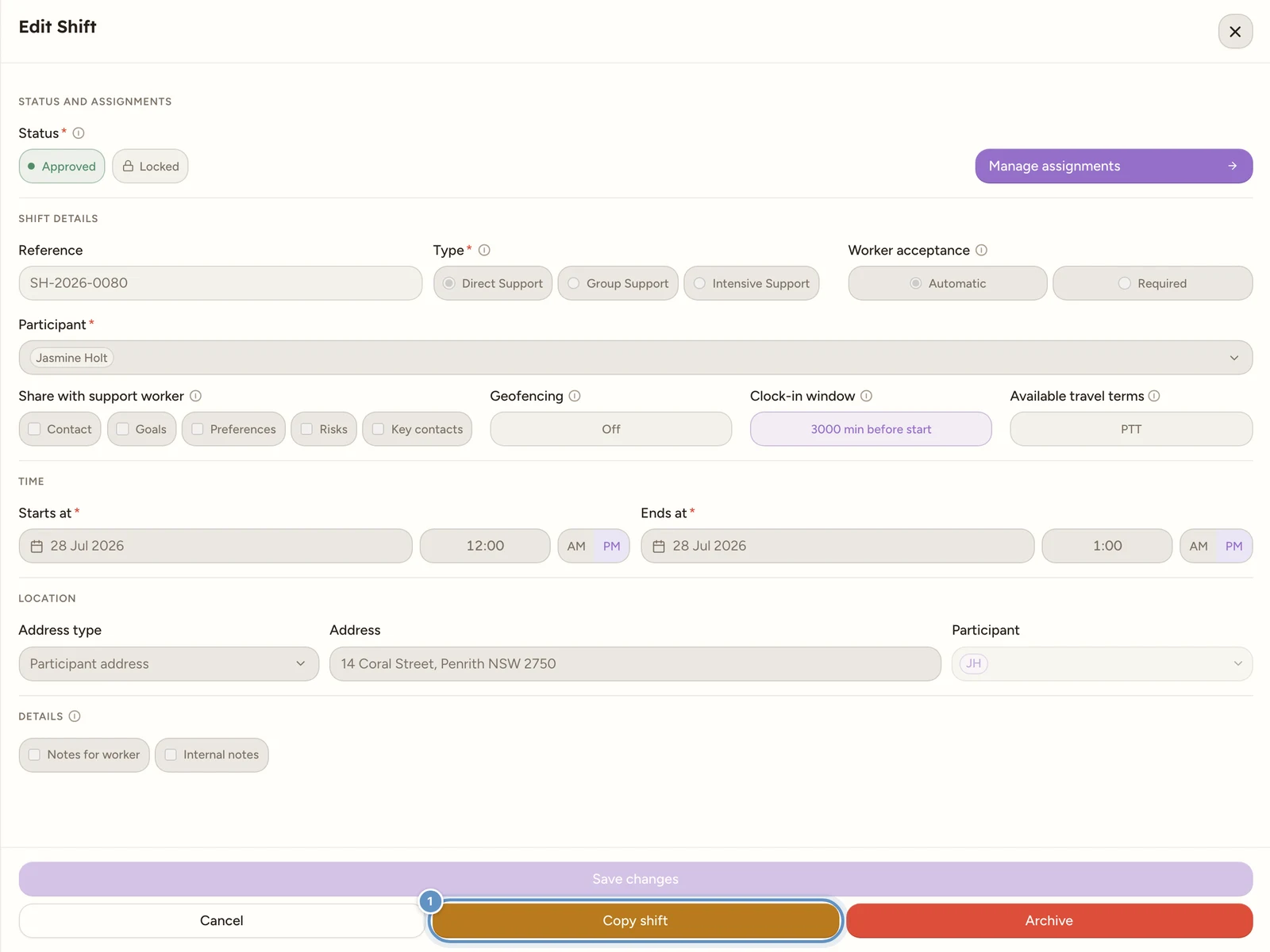
A Copy this shift? dialog appears with a Start date and time picker. Set the new start and confirm with Copy shift. The copy keeps the participants, support selections, location, notes and the Worker acceptance setting. A worker carries over unpublished only if their approved availability covers the new time. If they are unavailable, the copied assignment is left without that worker so you can choose someone else. It shows as Copied on the board until you open it and publish it.
Watch out
Copying always makes a single shift. Any recurrence on the original is dropped.
A No-show shift cannot be edited or rescheduled. Use Copy shift to arrange a replacement at a new time, or archive the old booking if appropriate.