Browse help topics
Shift statuses
Every status label, what it means, the order they happen in, and where to read the legend.
Last updated · 23 September 2026
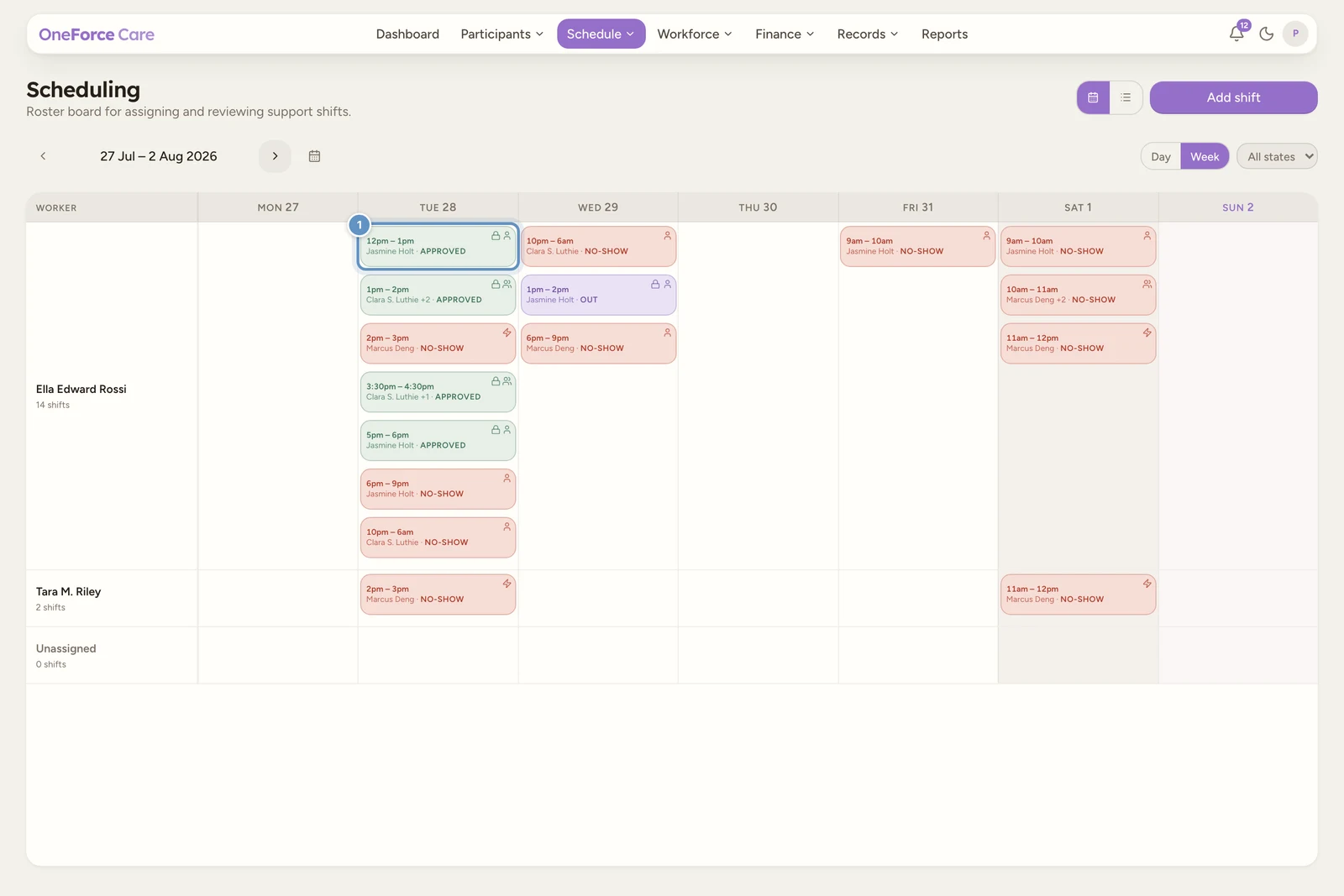
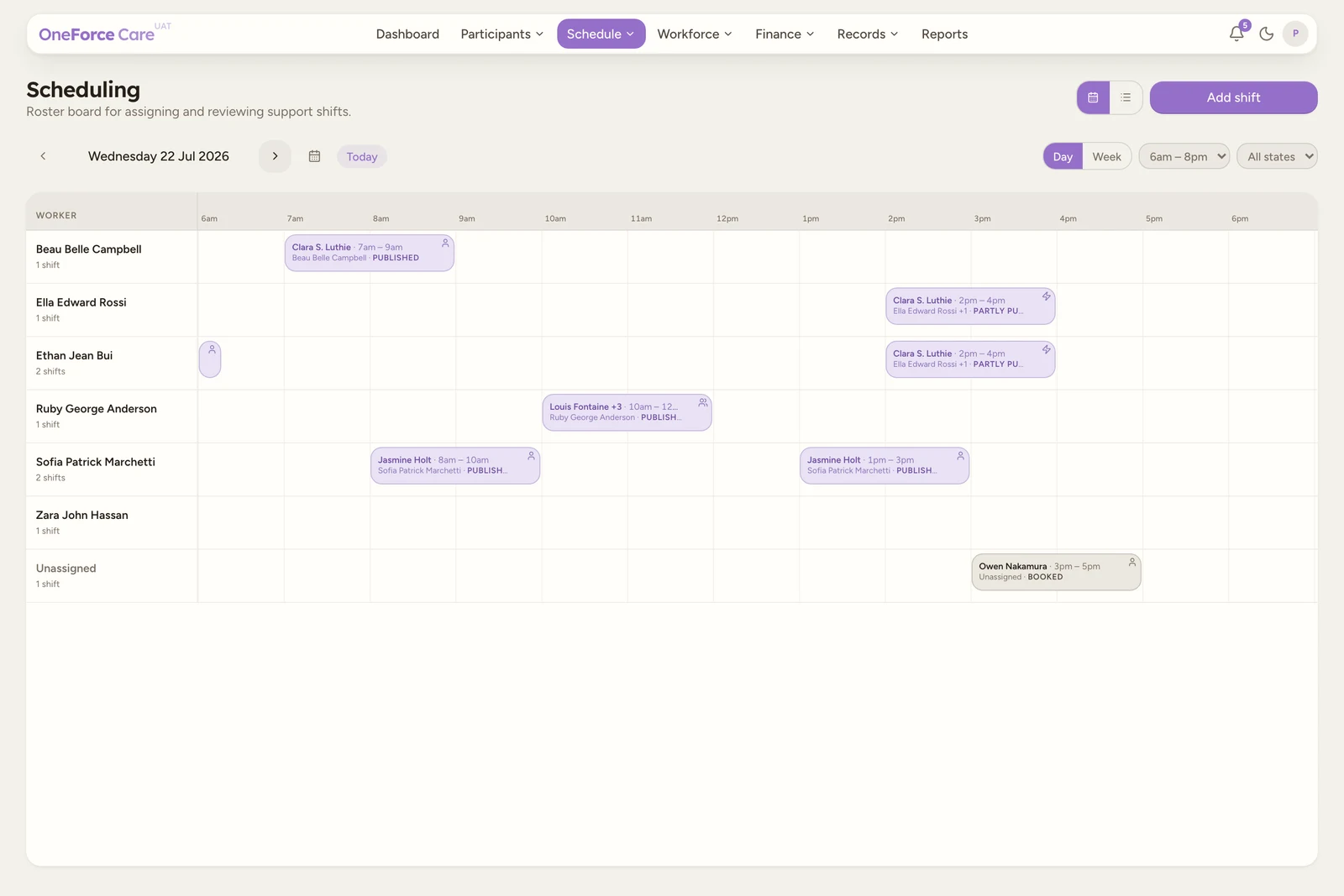
Every shift carries a status. It is worked out from the workers on the shift and what they have done, so it updates on its own as the shift progresses. The same label and colour appear on the Planner chip and in the Table.
The normal lifecycle
A shift usually moves through these in order:
| Status | What it means |
|---|---|
| Booked | Created, no worker yet. |
| Worker selected | A worker is assigned, but the assignment is not published. |
| Partly published | A multi-worker shift where some, but not all, of the assigned workers are published. |
| Published | The assignment is published and visible to the worker on mobile (every assigned worker, if there are several). |
| Awaiting worker | Published on a shift that asks for acceptance, and the worker has not answered yet. |
| Accepted | Every published worker has accepted. |
| In | The worker has clocked in. |
| Out | The worker has clocked out. |
| Notes Submitted | A post-service progress note has been submitted. |
| Part approved | Some, but not all, workers on the shift have been approved. |
| Approved | Every worker has been approved. Sign-off is complete. |
Note
Partly published only appears on shifts with more than one worker, for example Group or Intensive support. The shift reads as fully Published only once every assigned worker is published; while any assigned worker is still unpublished it stays Partly published. A slot with no worker in it does not hold the shift back, so single-worker shifts never show this status.
 1
1Worker acceptance: Awaiting worker, Accepted and Declined
Three of the labels above only ever show on a shift whose Worker acceptance is set to Required. On the default, Automatic, workers are booked the moment you publish and none of these appear. You choose it per shift, on the shift form: see Assign a worker.
| Status | What it means |
|---|---|
| Awaiting worker | Published, waiting for the worker to accept. They cannot clock in or start travel until they do. |
| Accepted | Every published worker has accepted. This is your confirmation; accepting sends no separate alert. |
| Declined | A worker turned the shift down, which unpublishes their assignment. |
Declined outranks the publication labels. It beats Awaiting worker, Published, Partly published and Worker selected, but a shift that has since been clocked, submitted or approved (or cancelled) shows that instead. It is deliberately not tied to the shift still being published, because declining unpublishes the assignment: if the label were tied to publication it would vanish at the exact moment it was earned, and the shift would read “Worker selected” with nobody told that anyone had said no.
What a decline does
- The worker’s assignment unpublishes itself. The worker stays attached to the slot, so you can see who declined.
- The shift reads Declined and needs action.
- Publishing again asks the question afresh. Adjust the shift, or pick another worker, then publish; the new request is a new question, and reassigning to a different worker resets acceptance entirely.
- Rescheduling a shift also resets acceptance and restarts the reminder ladder.
The office is told: a Shift declined notification names the worker and points you at reassigning the shift. There is also a Shift unconfirmed notification at 48 hours and again 12 hours before the shift starts if nobody has answered. Both are opt-out under Bell > Preferences > Shift acceptance (see Notifications).
Other statuses
| Status | What it means |
|---|---|
| Copied | A fresh copy of another shift that has not been published yet. |
| No-show | Published, nobody clocked in, and the scheduled end has passed. Editing and rescheduling are locked; copy or archive if needed. |
| Cancelled | The shift, or a participant on it, was cancelled. The chip also shows a lock icon. |
Where to read the legend
You do not have to remember every status. Open a shift, and the Status field in the Edit Shift drawer has an info icon beside its label; hover it for a built-in legend that explains each one.
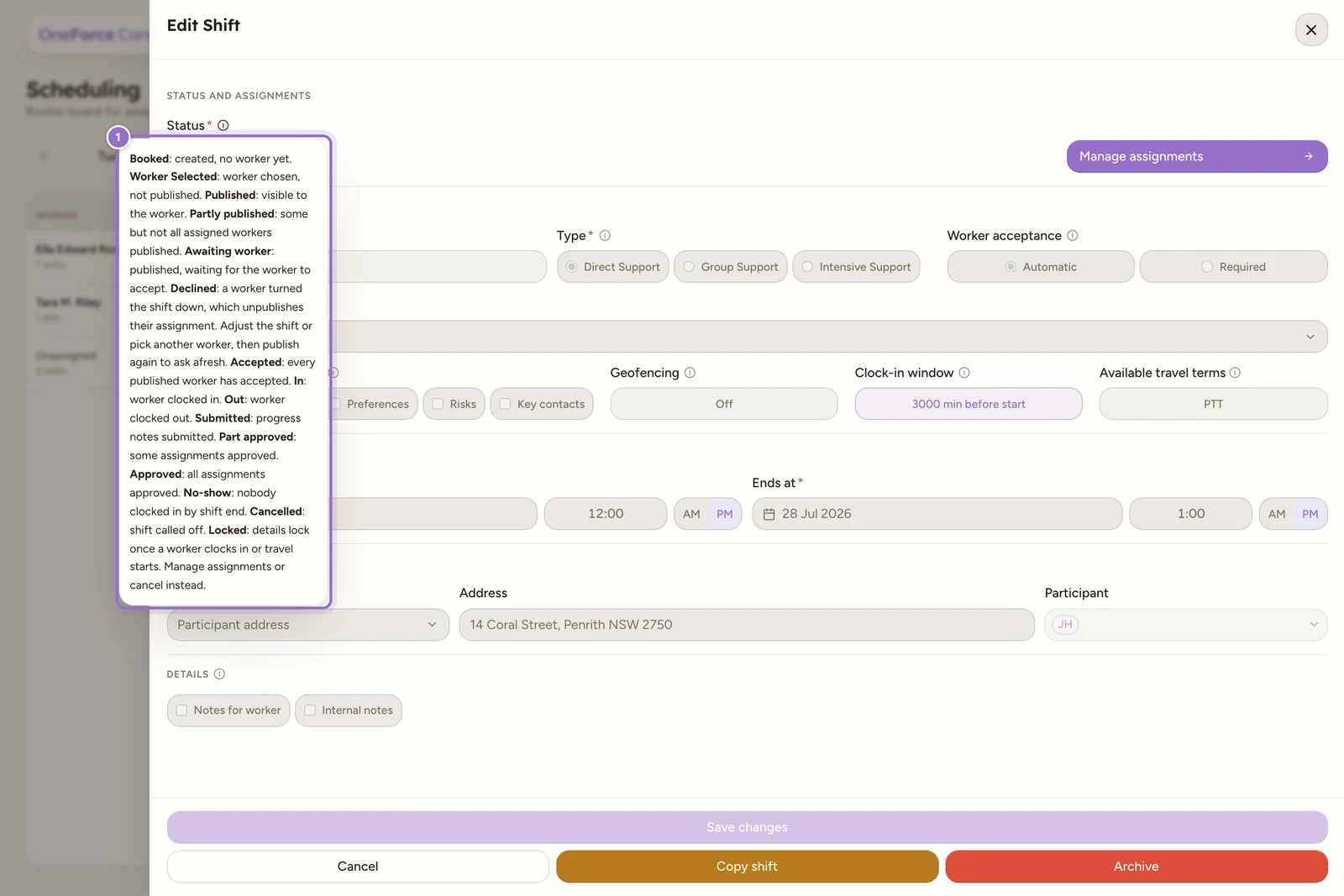
The legend reads, in order: Booked created, no worker yet; Worker Selected worker chosen, not published; Published visible to the worker; Partly published some but not all assigned workers published; Awaiting worker published, waiting for the worker to accept; Declined a worker turned the shift down, which unpublishes their assignment, so adjust the shift or pick another worker then publish again to ask afresh; Accepted every published worker has accepted; In worker clocked in; Out worker clocked out; Notes Submitted progress notes submitted; Part approved some assignments approved; Approved all assignments approved; No-show nobody clocked in by shift end; Cancelled shift called off; Locked details lock once a worker clocks in or travel starts (manage assignments or cancel instead).
Note
On the Planner the labels appear in capitals, for example NO-SHOW and WORKER SELECTED, and only show at all once a chip is wide enough; a very short shift may show just its participant and time. In the Table and the shift form the same labels appear in sentence case.
Tip
Publishing is the step that hands a shift to the worker, from the assignments drawer. Once a worker clocks in or provider travel starts, the shift locks: time, location, participants and support can no longer be changed, though you can still manage assignments or cancel.