Browse help topics
Your compliance
See what is current, missing or due for renewal, and ask the office to update your records.
Last updated · 23 September 2026
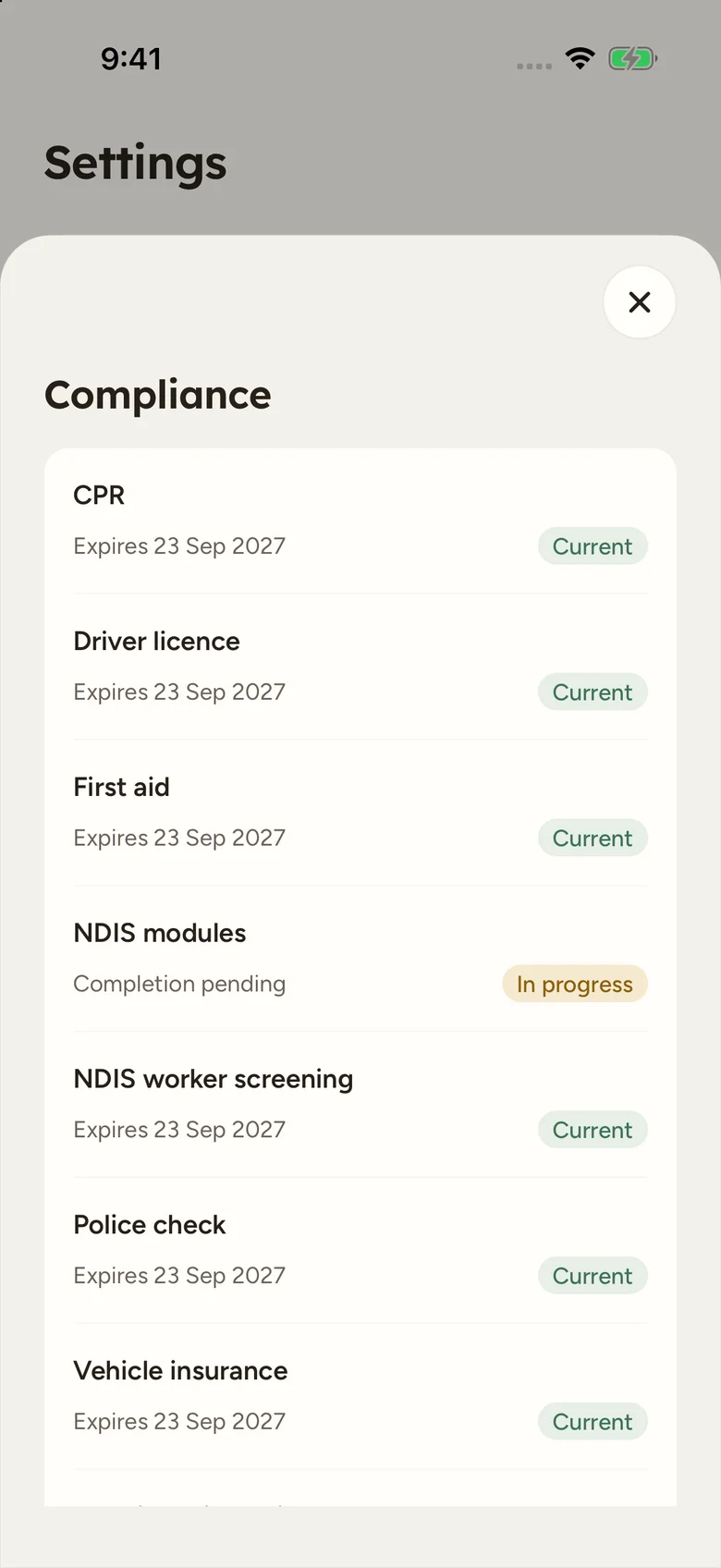
Open Settings > Compliance to see the compliance records your office holds for you. A compliance reminder on Home also takes you to this page when an item needs attention.
Read your records
The list includes the checks relevant to your work, their recorded expiry dates and status. Look for items that are missing, expired or approaching renewal. The office decides which optional checks apply to your role.
NDIS modules uses completion instead of an expiry date:
| Status | What it means |
|---|---|
| Not completed | Completion has not been recorded. |
| In progress | The office has recorded that you are working through the modules. |
| Completed | The office has recorded completion. |
Get something updated
This page is read-only. If a date, document or completion status is missing or wrong, contact the office with the correct information and any evidence they need. They update it from your worker profile’s Compliance tab.
Note
An item shown on your phone reflects the office’s saved record. Sending a new certificate to the office does not change the status until they have updated that record. Reconnect and reopen Compliance to check for the latest changes.